 Efficient Compute
Home → Talk → Sync to the beat
How to sync a video to the beat of a song on iPhone
Use an editor with automatic beat detection: it finds the beats in the song and puts the cuts on them, which takes seconds instead of an hour of tapping along. In Talk, add a song, then tap Music Sync. It maps the song’s tempo and sections, scores your footage for motion and faces, and cuts faster in the energetic parts and slower in the quiet ones — all on the device, with nothing uploaded. CapCut can also mark the beats for you; iMovie cannot.
The steps
- Put your clips on the timeline Import the footage for the montage. Music Sync chooses which moments to use, so give it more footage than the finished video needs.
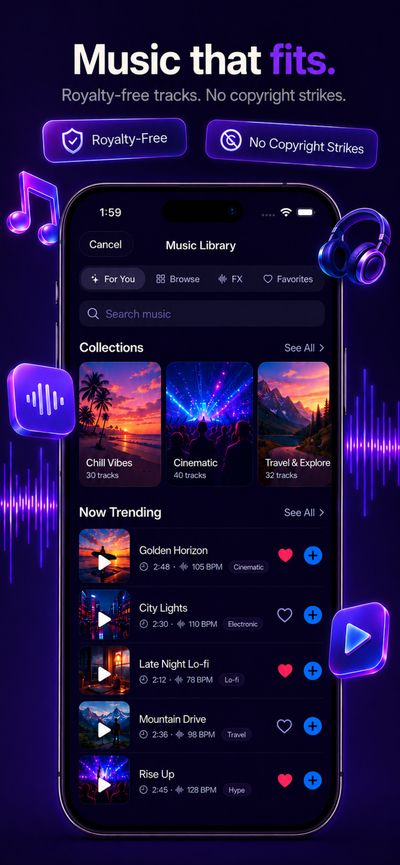
- Add the song A track from Talk’s music library, or an audio file of your own. Music Sync needs music on the timeline before it can run.
- Tap Music Sync Talk analyses the song on the device — tempo, beats, downbeats, and where the intro, build, drop and outro are — and scores the footage for motion, faces and scene changes. Then it cuts the clips to the beat, fastest where the song is most energetic. No AI model is called and nothing is uploaded.
- Try another take, or keep it Try another gives a different selection of shots; the analysis is cached, so it is instant. Tap Keep when one works.
- Fine-tune and export Swap or trim any shot by hand, add captions or text, then export. Free exports are 1080p with no watermark.
Why good beat sync isn’t a cut on every beat
A cut on every beat of a 120 BPM song is a new shot every half second — exhausting after ten seconds, and it flattens the song’s shape. Editors cut on the beat, but not on every one: quickly where the music is loud, slowly where it breathes. Music Sync follows the same rule, setting the pace from the section of the song it is in:
| Section of the song | A cut every | Shot length at 120 BPM |
|---|---|---|
| Drop | 3 beats | 1.5 seconds |
| Build | 4 beats | 2 seconds |
| Verse | 5 beats | 2.5 seconds |
| Bridge or break | 6 beats | 3 seconds |
| Intro or outro | 8 beats | 4 seconds |
The footage is matched to the section too: the most active shots go to the drop, faces and expressions to the verses, and wide, scenic shots to the intro, outro and bridge. When you ask for a set length, Music Sync uses the most energetic stretch of the song that fits, rather than simply the first 30 seconds.
If you are cutting by hand in any editor, the same two habits do most of the work: put the cuts that matter on the downbeat — the first beat of a bar — and let movement inside the shot, a jump or a door closing, land on a beat as well as the cuts.
Which iPhone apps can sync to the beat
| App | Automatic beat detection | Places the cuts for you | Free tier |
|---|---|---|---|
| Talk — Music Sync | Yes, on-device | Yes, paced to the song’s sections | Yes; each run counts as a daily AI action |
| CapCut | Yes, as beat markers | Through beat-sync templates; otherwise you trim to the markers | Yes |
| iMovie | No | No | Free |
As of October 2026. Check the current App Store listing before relying on a free tier.
Frequently asked questions
How do I sync video clips to music automatically on iPhone?
Use an editor with beat detection. In Talk, add a song to the timeline and tap Music Sync: it detects the beats and the song’s sections on the device and cuts your clips to them. CapCut can mark the beats automatically, after which you trim the clips to the markers or use a beat-sync template. iMovie has no beat detection.
Should every cut land on a beat?
No. Cutting on every beat quickly becomes tiring to watch. Cut every few beats, and save the fastest cutting for the most energetic part of the song. Talk’s Music Sync does this automatically: a cut every 3 beats in a drop, every 5 in a verse and every 8 in an intro or outro.
Can I sync a video to any song?
Talk will sync to a track from its music library or to any audio file you import. Whether you can publish the result is a separate question: social platforms can mute or block videos that use commercial music without a licence, so use music you have the rights to post. Talk’s built-in library is royalty-free.
Does Music Sync upload my video or song?
No. Beat detection and the footage analysis both run on the device, and Music Sync does not call an AI model at all.
Is Music Sync free?
Yes, on the free tier. Each run counts as one of the free tier’s daily AI actions; Talk Pro removes the daily limit.
Does iMovie have beat sync?
No. iMovie for iPhone does not detect beats, so cuts have to be lined up with the music by ear.