 Efficient Compute
Home → Talk → Turn a photo into a video
How to turn a photo into a video on iPhone
It depends on what should move. If a slow pan and zoom across the still is enough, iMovie does it for free with the Ken Burns effect. If you took a Live Photo, the Photos app can save its three seconds as a video. If the photo itself should move — hair in the wind, a person turning to the camera, waves rolling in — you need AI image-to-video, which draws new frames that start from your photo. In Talk that is AI Video: describe the motion, or pick one of 30+ templates, on Talk Pro.
What each way moves
| Method | What moves | Length | Cost |
|---|---|---|---|
| iMovie — Ken Burns | The frame, panning and zooming across a still picture | As long as you set | Free |
| Photos — Live Photo, Save as Video | What really moved around the moment you took it | About 3 seconds | Free, built in; Live Photos only |
| Talk — Animate a photo | Anything in the photo, as you describe it: people, water, the camera | 5 or 10 seconds | Talk Pro, video credits |
| Talk — templates | A set effect or camera move: wings, a turn to gold, an orbit | 3 to 5 seconds | Talk Pro, video credits |
The free way: a pan and zoom in iMovie
- Start a movie Open iMovie, tap Start New Project, then Movie. Select the photo, or several for a slideshow, and tap Create Movie.
- Set where the move starts and ends Tap the photo in the timeline. In the viewer, tap Start and pinch and drag to frame the opening, then tap End and frame the close. iMovie glides from one to the other.
- Set the length and save Drag the end of the photo in the timeline to make it last longer, then tap Done, Share and Save Video.
For a Live Photo, open it in Photos, tap the More button (…) and choose Save as Video. The Live menu at the top of the photo also turns it into a Loop or a Bounce.
With AI: make the photo itself move
- Open AI Video In Talk, open a project and tap AI Video in the toolbar, then Animate a photo. Pick the photo from your library, or use the frame of your video at the playhead.
- Describe the motion, or don’t “Hair moving in the wind, slow push in” works; so does nothing at all. Choose 5 or 10 seconds.
- Or start from a template Templates such as Wings, Turn to gold or Old photo revival need only the photo. A few ask you to confirm that the person in it is 18 or older and agreed.
- Tap Generate The price in video credits is on the button. Most videos are ready in one to three minutes, and the clip lands on your timeline, ready for captions and music.
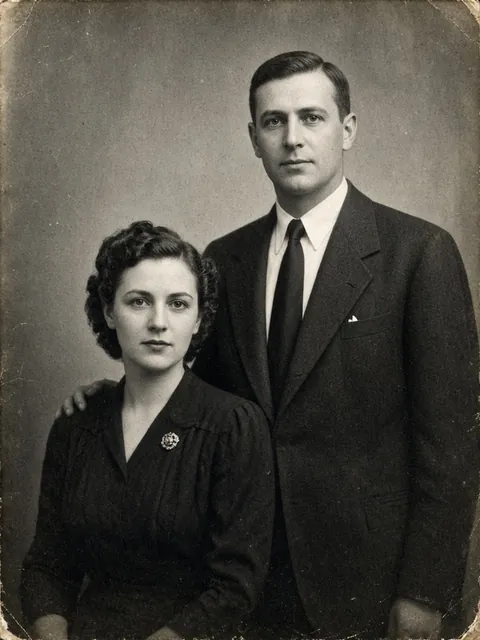
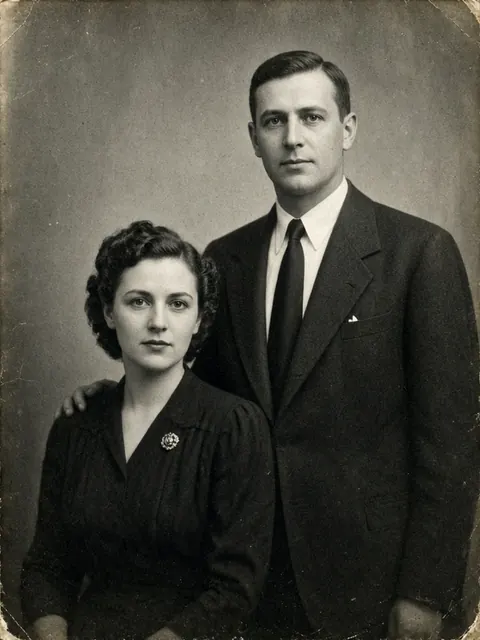


Sample photos made with AI, and the videos two of Talk’s templates made from them. More in the template gallery.
What AI keeps from the photo, and what it doesn’t
Image-to-video starts from your photo and invents every frame after it. The first frame matches; the rest are the model’s best guess. Faces, hands and lettering are where the guess shows, and the further a person turns or moves, the more they can drift from the photo. A sharp photo with the subject well lit and not cut off at the edges gives the model the most to work from, and generating again gives a different take.
Frequently asked questions
Can I turn a photo into a video for free on iPhone?
Yes, if a camera move is enough. iMovie, Apple’s free editor, pans and zooms across a photo with the Ken Burns effect, and a Live Photo can be saved as a three-second video from the Photos app. Neither makes the people or things in the photo move: that takes AI image-to-video.
How do I make the things in a photo move?
Use AI image-to-video, which draws new frames that start from your photo. In Talk, AI Video’s Animate a photo does it from a description, such as “Hair moving in the wind, slow push in”, and the templates do it from the photo alone. Both are part of Talk Pro.
How do I bring an old photo to life?
Photograph or scan the print flat, without glare, then use an AI template made for it. Talk’s Old photo revival makes a five-second video in which the people in the photo move, after you confirm that you own the photo or may use it. It is part of Talk Pro.
Can I make the person in a photo dance?
Yes, with motion transfer: you give it the photo and a video of the moves, and the person in the photo performs them. In Talk that is AI Video’s Make someone move, on Talk Pro. Use a photo of someone who agreed to it; Talk asks you to confirm that they are 18 or older and did.
How long is a video made from a photo?
In iMovie, as long as you set it. A Live Photo saved as a video runs about three seconds. In Talk, an animated photo is 5 or 10 seconds, and a template 3 to 5.
Is my photo uploaded?
Not by iMovie or Photos, which work on the phone. AI image-to-video runs on a server: Talk sends the photo you pick, and nothing else from your library, to Qwen Cloud, Alibaba Cloud’s AI service, which keeps it for up to 2 days. The privacy policy has the detail.